Liven Loyalty
Liven Loyalty
23 Apr 2026 • 5 min read
23 Apr 2026 • 5 min read
Liven Gifting for Venues: Activate Gift Cards, Vouchers and Brandollars
Liven Gifting for Venues: Activate Gift Cards, Vouchers and Brandollars
Liven Gifting for Venues: Activate Gift Cards, Vouchers and Brandollars
Liven Gifting helps venues activate gift cards, vouchers and Brandollars inside the Liven ecosystem. Learn how gifting works, how to issue it, and how it supports prepaid revenue and customer acquisition.
Liven Gifting helps venues activate gift cards, vouchers and Brandollars inside the Liven ecosystem. Learn how gifting works, how to issue it, and how it supports prepaid revenue and customer acquisition.
Written by

Liven
The ultimate hospo solution
Many venues look for add-ons and additional vendors to run campaigns, promotions, or to create offers for customers. But all of these are possible on Liven now.
Gifting is one of them.
If Liven Gifting is not activated in your setup, your venue may be missing an opportunity to capture prepaid revenue, introduce new customers through gifting, and support repeat visits through redemption.
What is Liven Gifting?
Liven Gifting provides three different ways to issue and redeem gifts
It includes:
Gift cards that hold a balance and can be used across multiple transactions
Vouchers that are single-use and redeemed in one transaction
Brandollar Gifting that lets customers send digital value through a secure link and have it redeemed from a wallet
Why Gifting Matters
If gifting is not activated inside your Liven environment, you are losing revenue.
Gifting is not a marketing add-on. It is a built-in revenue and acquisition feature.
When switched on, it delivers:
Prepaid revenue before the visit occurs
A new customer introduced by an existing one
Or a gift that you give a user for fulfilling certain criteria
Additional spending when the gift is used
Industry research shows gift recipients frequently spend beyond the original value when redeeming. That incremental revenue sits on top of the prepaid amount.
Liven Gift Cards and Vouchers
Liven supports both gift cards and vouchers through Abacus and Loyalty.
Businesses can configure different card values, customise email templates, and track purchases and redemptions directly on Abacus. Gift cards are multi-use. Customers can spend part of the balance across multiple visits until it reaches zero. Vouchers are single-use and must be redeemed in one transaction.
You can issue gift cards and vouchers in multiple ways:
Manually through the POS
Automatically at checkout
Redemption is straightforward. Staff can scan a QR code or enter a code manually at the POS. The system shows balance, usage and expiry in real time. There are multiple ways to share the gift with a customer:
All gifts are provided as a receipt. Some venues prefer to offer a card - think of a printed card and envelope - on which the gift code is written, and a receipt is inserted when the purchase is final.
Others prefer to maintain a more digital presence and share gift cards via email, with a simple receipt at the POS.
When the gift is initiated digitally via your Magic App, the recipient receives an email inviting them to store the gift value in your Magic App Wallet. Here, there are no physical receipts.
All gift cards and vouchers are tracked centrally, including purchase, redemption and remaining value.
How to issue manual gift cards on Abacus
Create gift cards of various values and save them for sales in the future.
Under Loyalty Marketing, select Vouchers and Gift Cards
Click on "New Voucher" and select "Contact Email". Here, you will assign a customer to your gift card.
Select whether this is a voucher or a gift card.
Save and sync with your POS.
The member will receive an email with the gift card details, including the QR code. (Emails are also customisable).
Manual gift card is issued!
At the venue and at checkout, select “gift card” as the payment method. Scan or add the code manually.
The recipient can choose to use the full amount or a partial amount. Staff members input the amount accordingly. Click done, and the gift card is redeemed!
Note: You can bulk issue vouchers or gift cards by selecting "Generate Vouchers" and filling in all the details. You can leave some or all vouchers unassigned for now, letting cashiers assign them at the POS while selling.
How to issue automatic gift cards on Abacus
Automatic gift cards are added as a menu item/product and can be added to order at the POS. These are perfect when a diner wants to send gift cards to someone else.
To add gift cards as a menu item, go to "Online Gift Card Settings" and select "Add" under "Menu"
Sync the menu for this new product to be visible on your POS and online ordering front end.
Gift cards will appear on your ordering systems and are ready to be added to cart.
Brandollar Gifting
Brandollars extend gifting into a fully digital flow inside your Magic App.
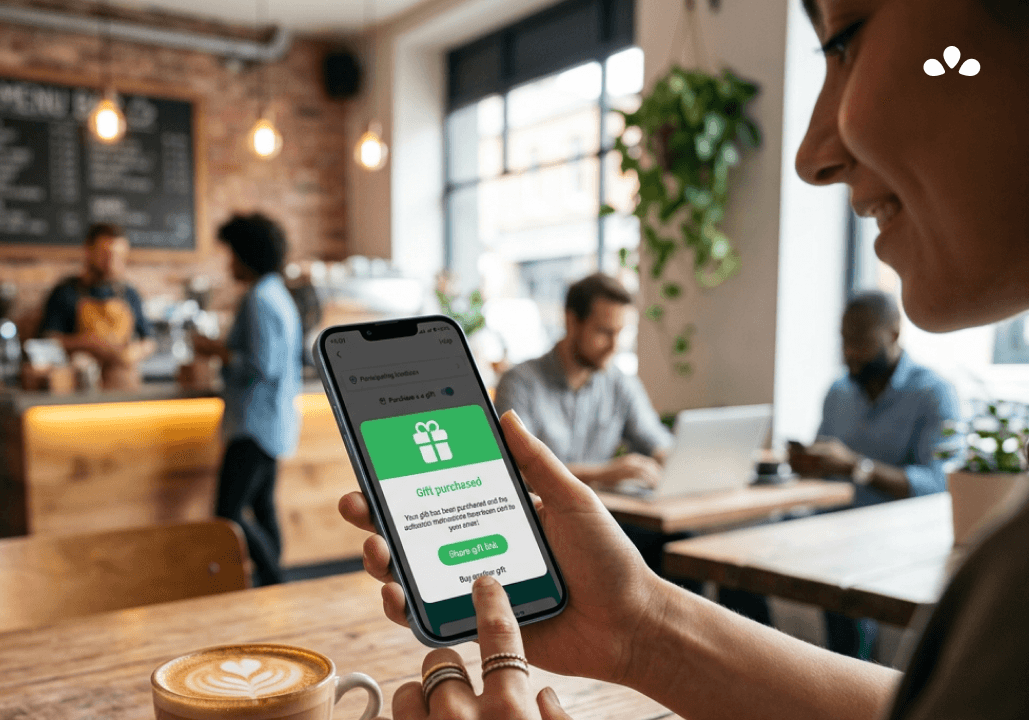
A customer purchases a Brandollar pack and selects “Buy as Gift.” A secure link is generated and shared with the recipient.
To redeem the gift, the recipient creates an account using their phone number and email. The value is credited directly to their wallet and used during checkout.
This does two things:
It guarantees a return visit
It captures a verified, first-party customer
Everything runs inside Liven. There are no physical cards, no third-party providers, and no additional systems to manage.
If you are already using Liven Loyalty or Abacus, Gifting can be switched on without new integrations. If you haven’t switched it on yet, reach out to us, and we will help you set it up.
If you are not yet running loyalty, you are also missing the opportunity to structure spend and lift average order value by up to 20%.
Book a short walkthrough, and we will help you activate it.
Liven Gifting FAQs
What is Liven Gifting?
Liven Gifting is a built-in feature that allows venues to sell or issue stored-value products such as gift cards, vouchers, and Brandollars.
What is the difference between a gift card and a voucher?
A gift card is multi-use and can be redeemed across multiple visits. A voucher is single-use and must be redeemed in one transaction.
How are gift cards issued on Abacus?
Gift cards can be issued manually through the backend and POS workflow, or automatically by being added as a product available at checkout.
How are gift cards redeemed in Liven?
Staff can redeem gift cards on behalf of the customer by scanning the QR code of the gift card/voucher or entering the code manually at the POS. Liven shows balance, customer details, and expiry in real time on the POS system.
What is Brandollar Gifting?
Brandollar Gifting is a digital gifting flow inside the Magic App. A customer purchases a Brandollar pack as a gift, shares a secure link, and the recipient receives the value in their wallet after creating an account.
Does Liven Gifting require a third-party provider?
No. If the venue is already using Liven Loyalty or Abacus, gifting can be activated within the existing Liven environment.
Many venues look for add-ons and additional vendors to run campaigns, promotions, or to create offers for customers. But all of these are possible on Liven now.
Gifting is one of them.
If Liven Gifting is not activated in your setup, your venue may be missing an opportunity to capture prepaid revenue, introduce new customers through gifting, and support repeat visits through redemption.
What is Liven Gifting?
Liven Gifting provides three different ways to issue and redeem gifts
It includes:
Gift cards that hold a balance and can be used across multiple transactions
Vouchers that are single-use and redeemed in one transaction
Brandollar Gifting that lets customers send digital value through a secure link and have it redeemed from a wallet
Why Gifting Matters
If gifting is not activated inside your Liven environment, you are losing revenue.
Gifting is not a marketing add-on. It is a built-in revenue and acquisition feature.
When switched on, it delivers:
Prepaid revenue before the visit occurs
A new customer introduced by an existing one
Or a gift that you give a user for fulfilling certain criteria
Additional spending when the gift is used
Industry research shows gift recipients frequently spend beyond the original value when redeeming. That incremental revenue sits on top of the prepaid amount.
Liven Gift Cards and Vouchers
Liven supports both gift cards and vouchers through Abacus and Loyalty.
Businesses can configure different card values, customise email templates, and track purchases and redemptions directly on Abacus. Gift cards are multi-use. Customers can spend part of the balance across multiple visits until it reaches zero. Vouchers are single-use and must be redeemed in one transaction.
You can issue gift cards and vouchers in multiple ways:
Manually through the POS
Automatically at checkout
Redemption is straightforward. Staff can scan a QR code or enter a code manually at the POS. The system shows balance, usage and expiry in real time. There are multiple ways to share the gift with a customer:
All gifts are provided as a receipt. Some venues prefer to offer a card - think of a printed card and envelope - on which the gift code is written, and a receipt is inserted when the purchase is final.
Others prefer to maintain a more digital presence and share gift cards via email, with a simple receipt at the POS.
When the gift is initiated digitally via your Magic App, the recipient receives an email inviting them to store the gift value in your Magic App Wallet. Here, there are no physical receipts.
All gift cards and vouchers are tracked centrally, including purchase, redemption and remaining value.
How to issue manual gift cards on Abacus
Create gift cards of various values and save them for sales in the future.
Under Loyalty Marketing, select Vouchers and Gift Cards
Click on "New Voucher" and select "Contact Email". Here, you will assign a customer to your gift card.
Select whether this is a voucher or a gift card.
Save and sync with your POS.
The member will receive an email with the gift card details, including the QR code. (Emails are also customisable).
Manual gift card is issued!
At the venue and at checkout, select “gift card” as the payment method. Scan or add the code manually.
The recipient can choose to use the full amount or a partial amount. Staff members input the amount accordingly. Click done, and the gift card is redeemed!
Note: You can bulk issue vouchers or gift cards by selecting "Generate Vouchers" and filling in all the details. You can leave some or all vouchers unassigned for now, letting cashiers assign them at the POS while selling.
How to issue automatic gift cards on Abacus
Automatic gift cards are added as a menu item/product and can be added to order at the POS. These are perfect when a diner wants to send gift cards to someone else.
To add gift cards as a menu item, go to "Online Gift Card Settings" and select "Add" under "Menu"
Sync the menu for this new product to be visible on your POS and online ordering front end.
Gift cards will appear on your ordering systems and are ready to be added to cart.
Brandollar Gifting
Brandollars extend gifting into a fully digital flow inside your Magic App.
A customer purchases a Brandollar pack and selects “Buy as Gift.” A secure link is generated and shared with the recipient.
To redeem the gift, the recipient creates an account using their phone number and email. The value is credited directly to their wallet and used during checkout.
This does two things:
It guarantees a return visit
It captures a verified, first-party customer
Everything runs inside Liven. There are no physical cards, no third-party providers, and no additional systems to manage.
If you are already using Liven Loyalty or Abacus, Gifting can be switched on without new integrations. If you haven’t switched it on yet, reach out to us, and we will help you set it up.
If you are not yet running loyalty, you are also missing the opportunity to structure spend and lift average order value by up to 20%.
Book a short walkthrough, and we will help you activate it.
Liven Gifting FAQs
What is Liven Gifting?
Liven Gifting is a built-in feature that allows venues to sell or issue stored-value products such as gift cards, vouchers, and Brandollars.
What is the difference between a gift card and a voucher?
A gift card is multi-use and can be redeemed across multiple visits. A voucher is single-use and must be redeemed in one transaction.
How are gift cards issued on Abacus?
Gift cards can be issued manually through the backend and POS workflow, or automatically by being added as a product available at checkout.
How are gift cards redeemed in Liven?
Staff can redeem gift cards on behalf of the customer by scanning the QR code of the gift card/voucher or entering the code manually at the POS. Liven shows balance, customer details, and expiry in real time on the POS system.
What is Brandollar Gifting?
Brandollar Gifting is a digital gifting flow inside the Magic App. A customer purchases a Brandollar pack as a gift, shares a secure link, and the recipient receives the value in their wallet after creating an account.
Does Liven Gifting require a third-party provider?
No. If the venue is already using Liven Loyalty or Abacus, gifting can be activated within the existing Liven environment.
Liven is the first complete hospitality system that works for you. Loved by over 7,000 venues across Asia Pacific and used by tens of millions of diners and operators annually. To see how Liven can work for you, visit liven.love
Liven is the first complete hospitality system that works for you. Loved by over 7,000 venues across Asia Pacific and used by tens of millions of diners and operators annually. To see how Liven can work for you, visit liven.love
Share this post
Share this post
You might also like
You might also like
You might also like
Browse by category
Browse by category
End not knowing!
Get industry insights, guides, best practices from the best operators, sneak previews of new technology, and more!
End not knowing!
Get industry insights, guides, best practices from the best operators, sneak previews of new technology, and more!
End not knowing!
Get industry insights, guides, best practices from the best operators, sneak previews of new technology, and more!