abacus
abacus
16 Feb 2026 • 4 min read
16 Feb 2026 • 4 min read
KDS Go, Enhanced: More Ways to Run Service in Your Kitchen
KDS Go, Enhanced: More Ways to Run Service in Your Kitchen
KDS Go, Enhanced: More Ways to Run Service in Your Kitchen
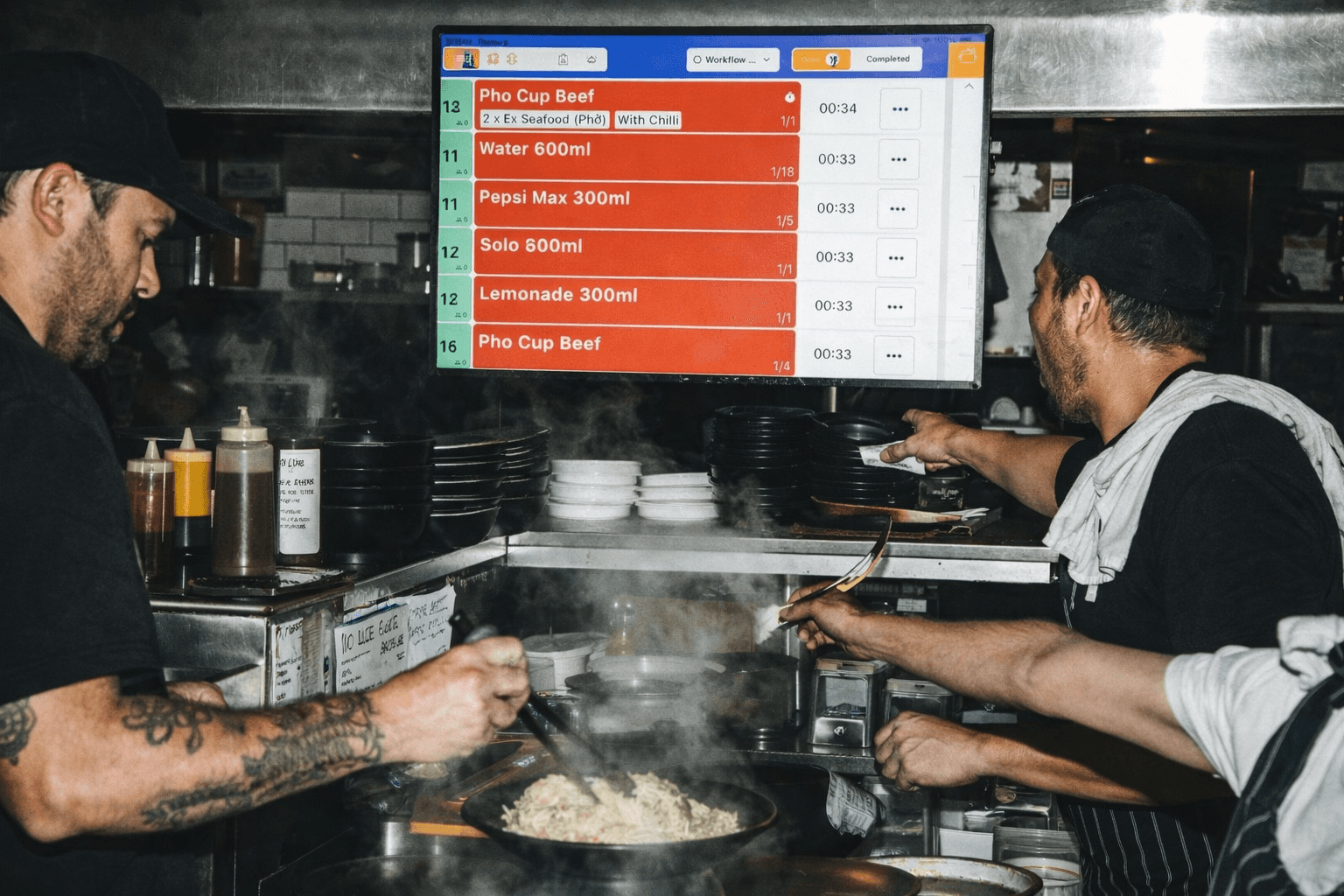
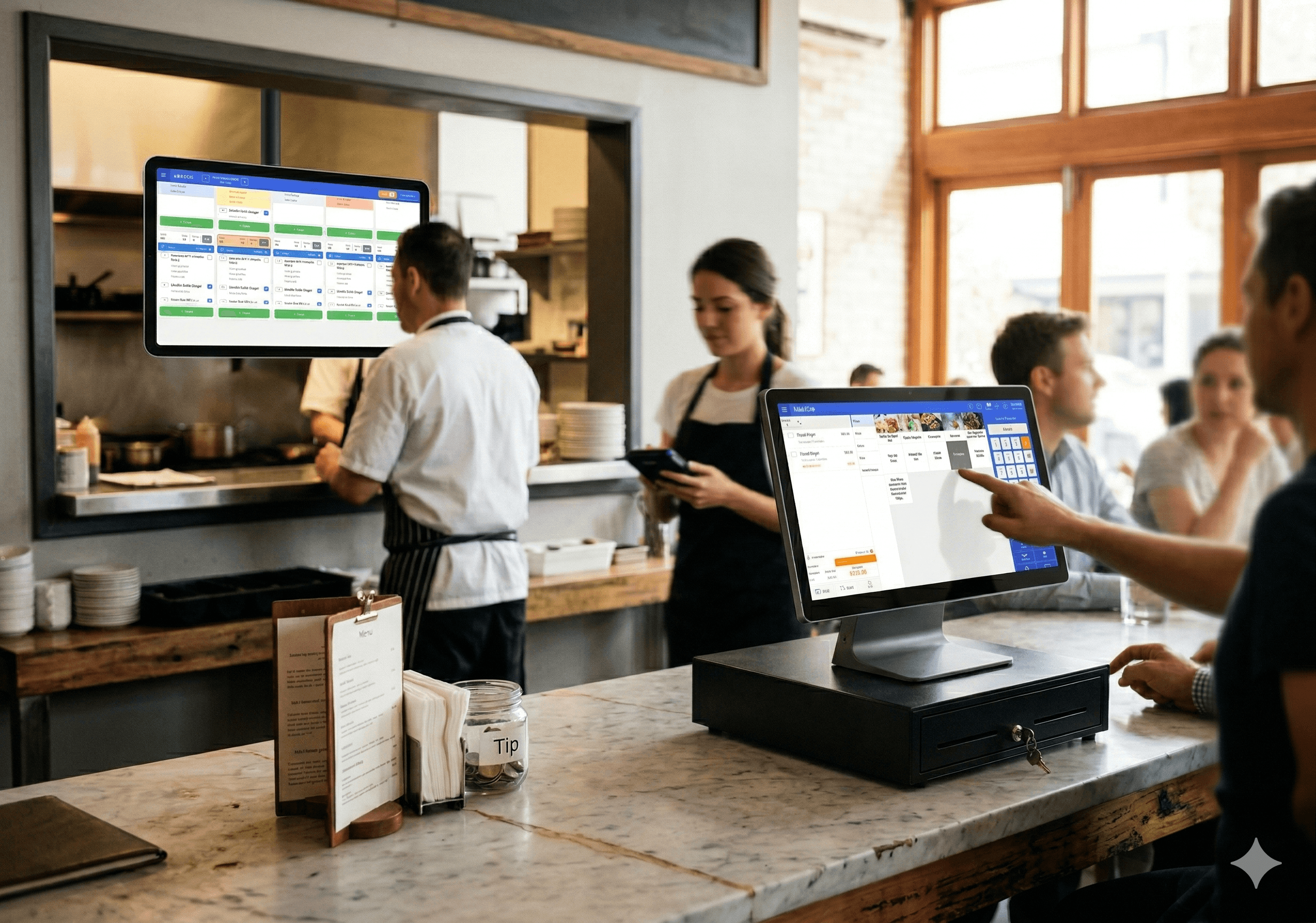
KDS Go now has smarter stage-based workflows, faster item progression, and clearer visual cues, giving kitchens more control, better visibility, and smoother service during peak.
KDS Go now has smarter stage-based workflows, faster item progression, and clearer visual cues, giving kitchens more control, better visibility, and smoother service during peak.
Written by

Liven
The ultimate hospo solution
Australian kitchens are tough environments. Tight spaces, unreliable Wi-Fi, mixed hardware, high staff turnover, and relentless peak periods are normal. Any system that works here has to be resilient and clever. KDS Go is a kitchen display system built for this reality.
What KDS Go Was Already Solving
KDS Go has already helped venues move away from paper dockets, reduce missed items, and keep kitchens running even when conditions weren’t ideal.
Keeps service moving during internet dropouts: Orders are cached locally, so kitchens keep working even if Wi-Fi drops. Everything syncs automatically once the connection returns.
Designed for real kitchen visibility: High-contrast screens, adaptive brightness, and flexible mounting make orders easy to read, no matter the lighting or layout.
Eliminates duplicate prep across stations: Smart routing ensures each station only sees what it needs to prepare, reducing errors and wasted effort.
Easy for staff to pick up: Simple tap interactions mean minimal training and faster adoption, even with casual or rotating teams.
No hardware lock-in: Runs on most existing devices, avoiding delays, supply issues, and unnecessary costs.
For many operators, this foundation alone made KDS Go a must-have in busy, multi-venue environments. But the latest KDS Go enhancements make it even more effective during peak periods, reducing friction, improving visibility, and keeping service flowing when it matters most.
What’s New, And Why It Matters
Stage-based workflows
Operators can now access a new ‘Display Items in Stages’ view.
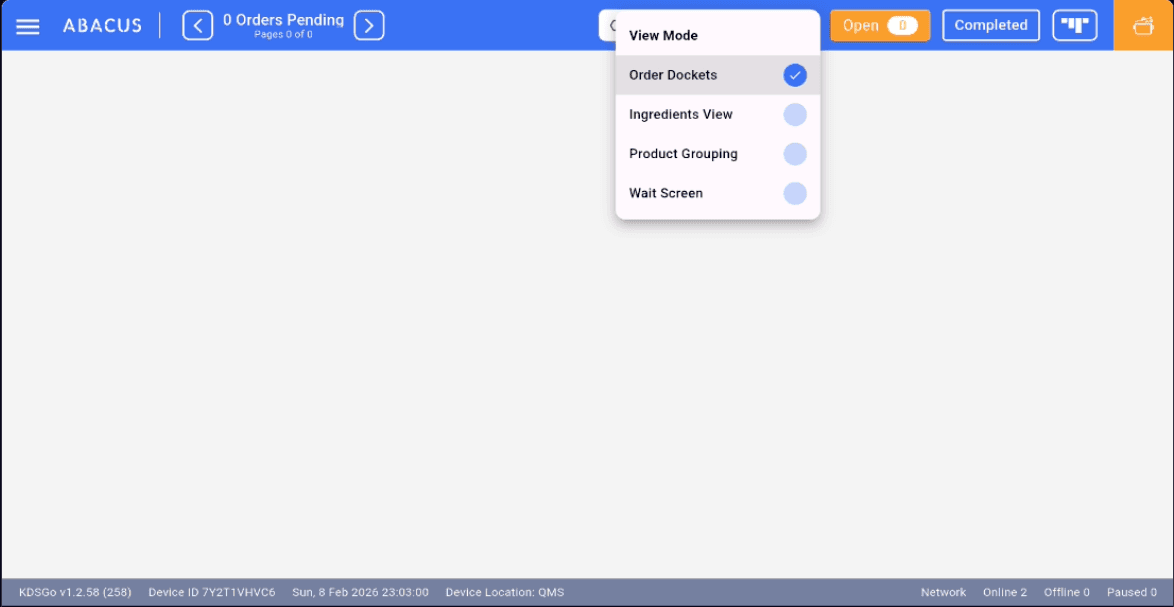
It’s an additional view that helps you easily organise orders as stacked item groups instead of dockets. Rather than displaying long ticket lists that can appear scattered, you can display items with clear stages, so teams focus on what needs action next.
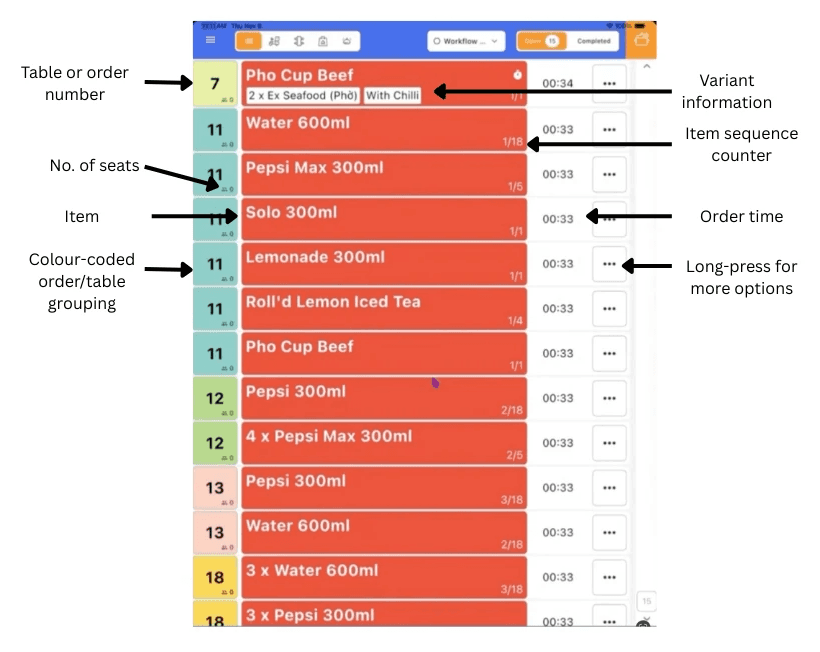
Flexible column controls, allowing kitchens to show or hide table number and seat count, item name and variants, order time, or order number
Item sequence counters (e.g. 1/3, 2/3, 3/3) that show how many of the same item are active and where each one sits in the queue, critical during high-volume prep
Product-level tags for station-specific focus and custom views
Instant color updates as items progress
Result: highly customisable views to that cater to additional ways of running service
Progress as easy as a tap
Items move through prep stages with a simple tap, mirroring how kitchens actually work.
Tap to advance an item through stages
Auto-print when it reaches the final stage
One more tap to bump it off the screen
Result: easier to use, fewer missed steps, and faster handover.
Clear Visual Cues at a Glance
During peak service, staff don’t have time to interpret screens.
Global stage colours instantly show what’s waiting, cooking, or ready.
Table badge grouping keeps all items from the same table visually connected
No reading, just scanning to keeping going
Result: faster decisions, fewer call-backs and fewer split-table or timing errors.
Faster Recovery When Things Go Wrong
Mistakes happen. Fixing them quickly is what matters. With long-press quick actions, operators can:
Reset an item to the first stage
Undo the last step
Print a docket instantly
Result: small errors don’t turn into service delays.
Better visibility, faster service
KDS Go adapts to the physical kitchen, and makes visibility a priority.
Works in portrait or landscape
Automatic contrast adjustment for readability
Responsive layouts across screen sizes
Result: fewer misreads and less staff frustration under pressure.
Doubles up as Wait Screen
KDS Go isn't just for back of house, it can be for the customer as well. You can use KDS Go to share real time order prep status with real time text to speech vocal cues. This lets customers know whether their order is being prepared or ready to pick up.
Result: better customer experience with the same setup.
Works with iOS and Android POS
KDS Go now works seamlessly with both iOS and Android POS systems. You can have it work with iOS and Android together in the same environment, enabling you to easily migrate to more cost-effective and high-performance Android platforms without having to replace your existing investment in iOS.
If you want to see how KDS Go fits into your kitchen, you can book a chat with us here!
Australian kitchens are tough environments. Tight spaces, unreliable Wi-Fi, mixed hardware, high staff turnover, and relentless peak periods are normal. Any system that works here has to be resilient and clever. KDS Go is a kitchen display system built for this reality.
What KDS Go Was Already Solving
KDS Go has already helped venues move away from paper dockets, reduce missed items, and keep kitchens running even when conditions weren’t ideal.
Keeps service moving during internet dropouts: Orders are cached locally, so kitchens keep working even if Wi-Fi drops. Everything syncs automatically once the connection returns.
Designed for real kitchen visibility: High-contrast screens, adaptive brightness, and flexible mounting make orders easy to read, no matter the lighting or layout.
Eliminates duplicate prep across stations: Smart routing ensures each station only sees what it needs to prepare, reducing errors and wasted effort.
Easy for staff to pick up: Simple tap interactions mean minimal training and faster adoption, even with casual or rotating teams.
No hardware lock-in: Runs on most existing devices, avoiding delays, supply issues, and unnecessary costs.
For many operators, this foundation alone made KDS Go a must-have in busy, multi-venue environments. But the latest KDS Go enhancements make it even more effective during peak periods, reducing friction, improving visibility, and keeping service flowing when it matters most.
What’s New, And Why It Matters
Stage-based workflows
Operators can now access a new ‘Display Items in Stages’ view.
It’s an additional view that helps you easily organise orders as stacked item groups instead of dockets. Rather than displaying long ticket lists that can appear scattered, you can display items with clear stages, so teams focus on what needs action next.
Flexible column controls, allowing kitchens to show or hide table number and seat count, item name and variants, order time, or order number
Item sequence counters (e.g. 1/3, 2/3, 3/3) that show how many of the same item are active and where each one sits in the queue, critical during high-volume prep
Product-level tags for station-specific focus and custom views
Instant color updates as items progress
Result: highly customisable views to that cater to additional ways of running service
Progress as easy as a tap
Items move through prep stages with a simple tap, mirroring how kitchens actually work.
Tap to advance an item through stages
Auto-print when it reaches the final stage
One more tap to bump it off the screen
Result: easier to use, fewer missed steps, and faster handover.
Clear Visual Cues at a Glance
During peak service, staff don’t have time to interpret screens.
Global stage colours instantly show what’s waiting, cooking, or ready.
Table badge grouping keeps all items from the same table visually connected
No reading, just scanning to keeping going
Result: faster decisions, fewer call-backs and fewer split-table or timing errors.
Faster Recovery When Things Go Wrong
Mistakes happen. Fixing them quickly is what matters. With long-press quick actions, operators can:
Reset an item to the first stage
Undo the last step
Print a docket instantly
Result: small errors don’t turn into service delays.
Better visibility, faster service
KDS Go adapts to the physical kitchen, and makes visibility a priority.
Works in portrait or landscape
Automatic contrast adjustment for readability
Responsive layouts across screen sizes
Result: fewer misreads and less staff frustration under pressure.
Doubles up as Wait Screen
KDS Go isn't just for back of house, it can be for the customer as well. You can use KDS Go to share real time order prep status with real time text to speech vocal cues. This lets customers know whether their order is being prepared or ready to pick up.
Result: better customer experience with the same setup.
Works with iOS and Android POS
KDS Go now works seamlessly with both iOS and Android POS systems. You can have it work with iOS and Android together in the same environment, enabling you to easily migrate to more cost-effective and high-performance Android platforms without having to replace your existing investment in iOS.
If you want to see how KDS Go fits into your kitchen, you can book a chat with us here!
Liven is the first complete hospitality system that works for you. Loved by over 7,000 venues across Asia Pacific and used by tens of millions of diners and operators annually. To see how Liven can work for you, visit liven.love
Liven is the first complete hospitality system that works for you. Loved by over 7,000 venues across Asia Pacific and used by tens of millions of diners and operators annually. To see how Liven can work for you, visit liven.love
Share this post
Share this post
You might also like
You might also like
You might also like
Browse by category
Browse by category
End not knowing!
Get industry insights, guides, best practices from the best operators, sneak previews of new technology, and more!
End not knowing!
Get industry insights, guides, best practices from the best operators, sneak previews of new technology, and more!
End not knowing!
Get industry insights, guides, best practices from the best operators, sneak previews of new technology, and more!